SmartPicks
How to Choose a Standing Desk: A Practical Buying Guide
Disclosure: this page contains affiliate links. If you buy through them, we may earn a commission at no extra cost to you. We only recommend products we would use ourselves.
When you're ready to elevate your workspace, a standing desk can be a game-changer. Whether you're looking to improve your posture, increase productivity, or simply give your office a modern touch, choosing the right standing desk is crucial. This guide will help you navigate through the options, ensuring you find the perfect desk that meets your needs and budget.
Quick Picks
If you're short on time, here are the top three standing desks for different needs:
- Best Overall: Uplift V2
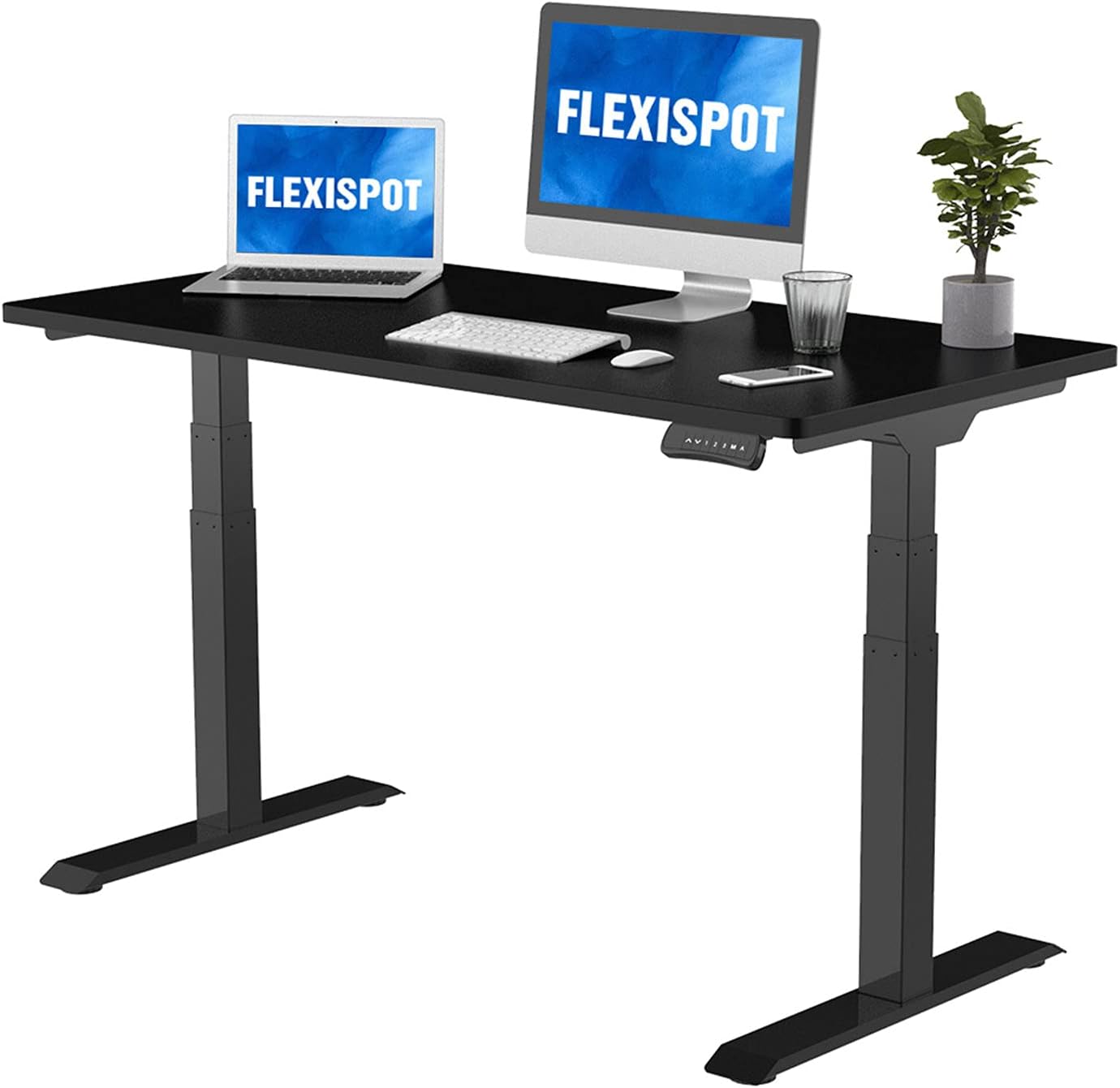
- Best Value: FlexiSpot E7
- Easiest Setup: Vari Electric Standing Desk
Comparison Table
| Product | Best For | Typical Price | Our Rating | Key Features |
|---|---|---|---|---|
| Uplift V2 | Best overall | $600–$1,200 | 4.6/5 | Steel frame, dual-motor system, modular accessories |
| FlexiSpot E7 | Best value | $350–$450 | 4.5/5 | Dual-motor frame, smooth lift, commercial-grade stability |
| Vari Electric Standing Desk | Easiest setup | $500–$700 | 4.5/5 | Quiet motor, solid build, quick assembly |
| Autonomous SmartDesk Core | Budget pick | $300–$400 | 4.3/5 | Reliable motor, sturdy frame, budget-friendly |
What to Look For
1. Height Adjustment Range
A key feature is the desk's height adjustment range. A good range is typically between 29 inches (74 cm) and 48 inches (122 cm). This allows you to switch between sitting and standing throughout the day, which is crucial for maintaining good posture and reducing strain.
2. Frame Stability
Frame stability is essential to ensure the desk doesn't wobble or tip over. Look for desks with a wide base and a sturdy frame. Steel and aluminum are good materials for stability, with Uplift V2 and FlexiSpot E7 being particularly noted for their robust construction.
3. Motor Quality
The motor quality significantly impacts the smoothness and quietness of the desk. Uplift V2 and Vari Electric Standing Desk both feature dual-motor systems that provide smooth and quiet operation. The FlexiSpot E7 also has a dual-motor system, but it may be a bit noisier.
4. Weight Capacity
Most standing desks can handle up to 300 pounds (136 kg) of weight, but some, like the Uplift V2, can handle up to 350 pounds (160 kg). Ensure the desk can support all the equipment and items you plan to place on it.
5. Build Quality
The build quality of the desk is important for longevity. Look for desks with a solid construction and high-quality materials. The Uplift V2 and Vari Electric Standing Desk both have solid builds, while the FlexiSpot E7 and Autonomous SmartDesk Core are more budget-friendly options.
6. Cable Management
Cable management is a crucial aspect, especially if you have multiple devices connected. Look for desks with built-in cable management systems or flexible desk surfaces that can accommodate cables without clutter.
7. Assembly and Setup
Ease of assembly can save you a lot of time and effort. The Vari Electric Standing Desk is particularly praised for its easy setup, which can be completed in just a few minutes. The FlexiSpot E7 and Autonomous SmartDesk Core are also relatively easy to set up, but they may require a bit more effort compared to the Vari.
8. Price
Price is a significant factor, and you should choose a desk that fits your budget. The Uplift V2 is at the higher end, while the FlexiSpot E7, Vari Electric Standing Desk, and Autonomous SmartDesk Core are more budget-friendly options.
Uplift V2
Who it Suits
Uplift V2 is ideal for those who prioritize quality and stability. Its dual-motor system ensures smooth and precise height adjustments, making it perfect for long work sessions.
One Thing It Does Better
The Uplift V2's dual-motor system provides unparalleled stability and precision, making it the best choice for those who require a high-quality standing desk.
One Honest Drawback
While the Uplift V2 is excellent, it can be quite heavy and bulky, which might be a challenge to move or store in a smaller space.
Who Should Skip It
If you're on a tight budget, the Uplift V2 might not be the best fit. Its higher price tag is offset by its superior quality, but it might be overkill for someone who doesn't require the highest level of performance.
FlexiSpot E7
Who it Suits
The FlexiSpot E7 is perfect for those looking for a balance between quality and affordability. Its dual-motor system ensures smooth and quiet operation, making it a great value option.
One Thing It Does Better
The FlexiSpot E7 is known for its smooth and quiet operation, which can be a significant advantage in shared spaces or home offices.
One Honest Drawback
While the E7 is smooth, its dual-motor system can be a bit noisier than some other options, which might be a concern in quieter environments.
Who Should Skip It
If you need the absolute quietest desk or the highest level of stability, the FlexiSpot E7 might not be the best choice. It excels in value but may not be the best in every category.
Vari Electric Standing Desk
Who it Suits
The Vari Electric Standing Desk is ideal for those who prioritize ease of setup and minimal hassle. Its quick assembly and quiet motor make it a popular choice among busy professionals.
One Thing It Does Better
The Vari Electric Standing Desk is known for its quiet operation and quick assembly, making it a smart choice for those who want a hassle-free transition to standing.
One Honest Drawback
While the Vari Electric Standing Desk is easy to set up, it might not be as sturdy or robust as some other options. Its frame is solid but may not be the best for heavy-duty use.
Who Should Skip It
If you need a desk that can handle heavy loads or if you're looking for the absolute best in stability, the Vari might not be the best choice. It excels in ease of use but may not be the most robust option.
Autonomous SmartDesk Core
Who it Suits
The Autonomous SmartDesk Core is perfect for those on a budget who still want a reliable and sturdy standing desk. Its budget-friendly price makes it an attractive option for many.
One Thing It Does Better
The Autonomous SmartDesk Core offers a reliable motor and sturdy frame at a budget-friendly price, making it an excellent entry-level option.
One Honest Drawback
While the SmartDesk Core is reliable, it may not offer the same level of precision or smoothness as some of the higher-end options. Its motor quality is good but not as refined.
Who Should Skip It
If you need a desk with the highest level of precision or smoothness, the SmartDesk Core might not be the best fit. It is a solid budget option but may not meet all your needs.
Common Mistakes
1. Ignoring Height Adjustment Range: Failing to choose a desk with an appropriate height range can lead to discomfort and reduced productivity. 2. Overlooking Stability: A desk that wobbles or tips over can be dangerous and frustrating. 3. Choosing Too Expensive a Desk: While quality is important, it’s crucial to choose a desk that fits your budget and needs. 4. Neglecting Cable Management: Poor cable management can lead to clutter and potential tripping hazards.
How to Match It to Your Budget
1. Set a Budget: Determine how much you are willing to spend on a standing desk. 2. Evaluate Needs: Consider what features are most important to you, such as height adjustment range, motor quality, and build quality. 3. Research Options: Look at the top products in your price range and read reviews to find the best fit. 4. Consider Long-term Value: While a high-end desk may be more expensive initially, it can offer better long-term value due to its quality and features.
Who Should Skip This
- Those on a Very Tight Budget: If you're on a very tight budget, the best option might be a traditional desk or a basic standing desk from a budget brand.
- Those Who Don’t Need Advanced Features: If you don’t require advanced features like precise height adjustments or multiple motor systems, a simpler desk might suffice.
- Those with Limited Space: If you have limited space, a desk with a smaller footprint or a more compact design might be more suitable.
FAQ
1. How do I know if I need a standing desk?
If you experience frequent back or neck pain, have a sedentary job, or simply want to improve your posture and productivity, a standing desk could be beneficial. Consider consulting a doctor to address any persistent symptoms.
2. Can I use a standing desk if I have limited space?
Yes, there are many compact standing desks available that can fit into smaller spaces. Look for desks with adjustable height capabilities and compact designs, such as the Autonomous SmartDesk Core.
3. How noisy are standing desks?
Most standing desks are designed to be relatively quiet, but the level of noise can vary. Dual-motor systems can be noisier, so consider the noise level in your environment before choosing a desk.
4. Can standing desks be used with a laptop or computer?
Absolutely. Most standing desks can be used with a laptop or computer. Ensure the desk has a sufficient surface area and a cable management system to keep everything organized.
5. How do I know which height is right for me?
The ideal height for a standing desk is typically between 29 inches (74 cm) and 48 inches (122 cm). Measure your current sitting desk height and add or subtract 4 inches (10 cm) to find the right height.
6. Can I share a standing desk with someone else?
Yes, you can share a standing desk, but consider the height range and stability of the desk. A desk with a wide height range and a sturdy frame will be easier to share.
The Bottom Line
Choosing the right standing desk is about finding a balance between quality, features, and your budget. By considering the key factors discussed in this guide, you can make an informed decision that will enhance your workspace and improve your overall well-being.
Browse every standing desks on Amazon
Our picks are the ones we would buy — but if none of them fit your desk or budget, here is the full range with live prices and customer reviews.
🔎 See all standing desks on Amazon →Common questions
Does a standing desk actually help back pain?
What helps is changing position, not standing itself. Standing all day swaps back ache for foot and knee ache. The gain comes from switching every 30–60 minutes, which is why the height memory presets matter more than the motor specs.
Single or dual motor?
Dual motor lifts faster, quieter, and handles heavy loads without straining — worth it if you run two monitors and a full setup. Single motor is fine for a laptop and a lamp, and you will notice the wobble more than the speed.
How much desk wobble is normal?
Some sway at full height is unavoidable. It becomes a problem when typing shakes the screen. Wobble comes mostly from the frame and the crossbar, not from the desktop, so a heavier frame is the fix — not a thicker top.
What are the best standing desks right now?
Our top pick is the Uplift V2. Uplift V2’s steel frame and dual-motor system deliver unmatched stability and height precision, while its modular accessories let you tailor the workspace to any need.
How much should I spend on standing desks?
Across the 4 models we compare here, typical street prices run from $449 at the low end up to $600–$1,200. Most people are best served in the middle bracket — the cheapest option usually gives up build quality, the most expensive buys refinement you only notice with daily use.
Are budget standing desks worth buying?
For light or occasional use, yes — the Autonomous Desk 2 (formerly SmartDesk Core) covers the basics. If you use it every working day, stepping up one bracket is usually the cheaper decision over a couple of years.