SmartPicks
What to Look for in a Robot Vacuum (2026 Buyer's Guide)
Disclosure: this page contains affiliate links. If you buy through them, we may earn a commission at no extra cost to you. We only recommend products we would use ourselves.
If you’re wondering what to look for in a robot vacuum (2026 buyer’s guide), you’re not alone. The market has exploded with new sensors, mapping algorithms, and subscription services, making the decision feel more like a tech‑spec puzzle than a simple purchase. In this guide I’ll walk through the most important features, the trade‑offs you’ll encounter, and which of the current top‑rated models fit different lifestyles and budgets.
Quick picks
| Need | Model |
|---|---|
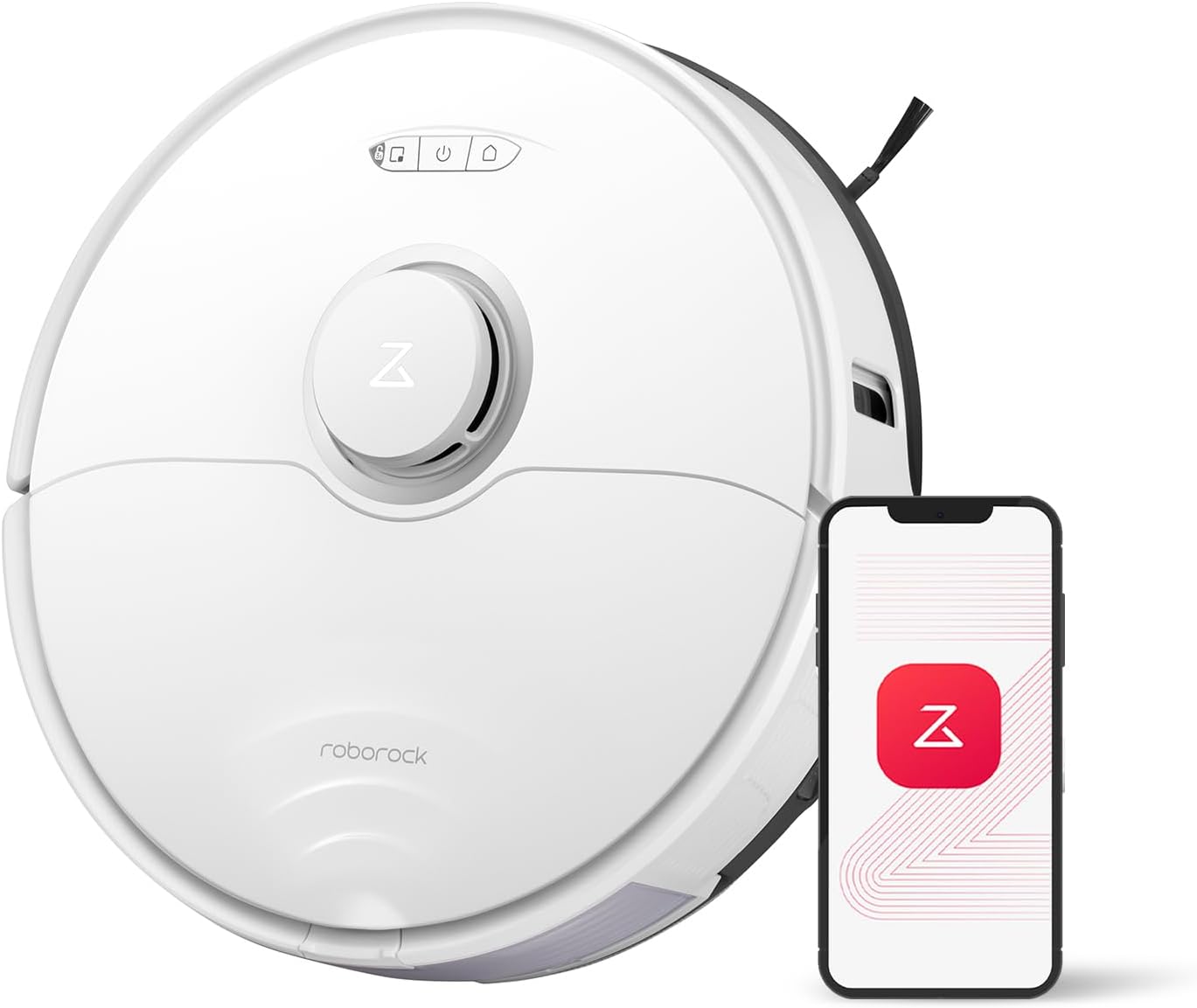
| Best overall | Roborock S8 |
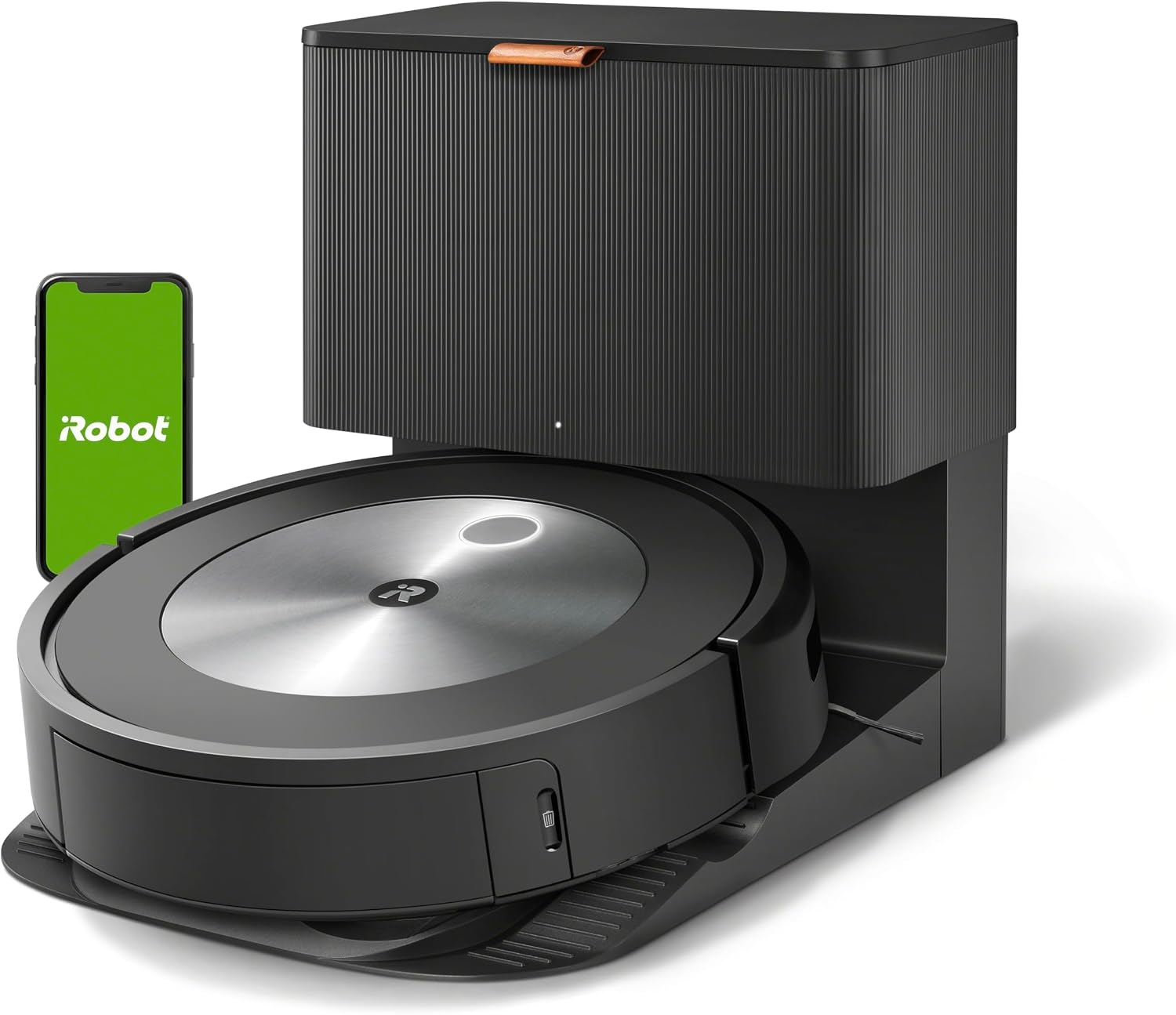
| Best obstacle avoidance | iRobot Roomba j7+ |
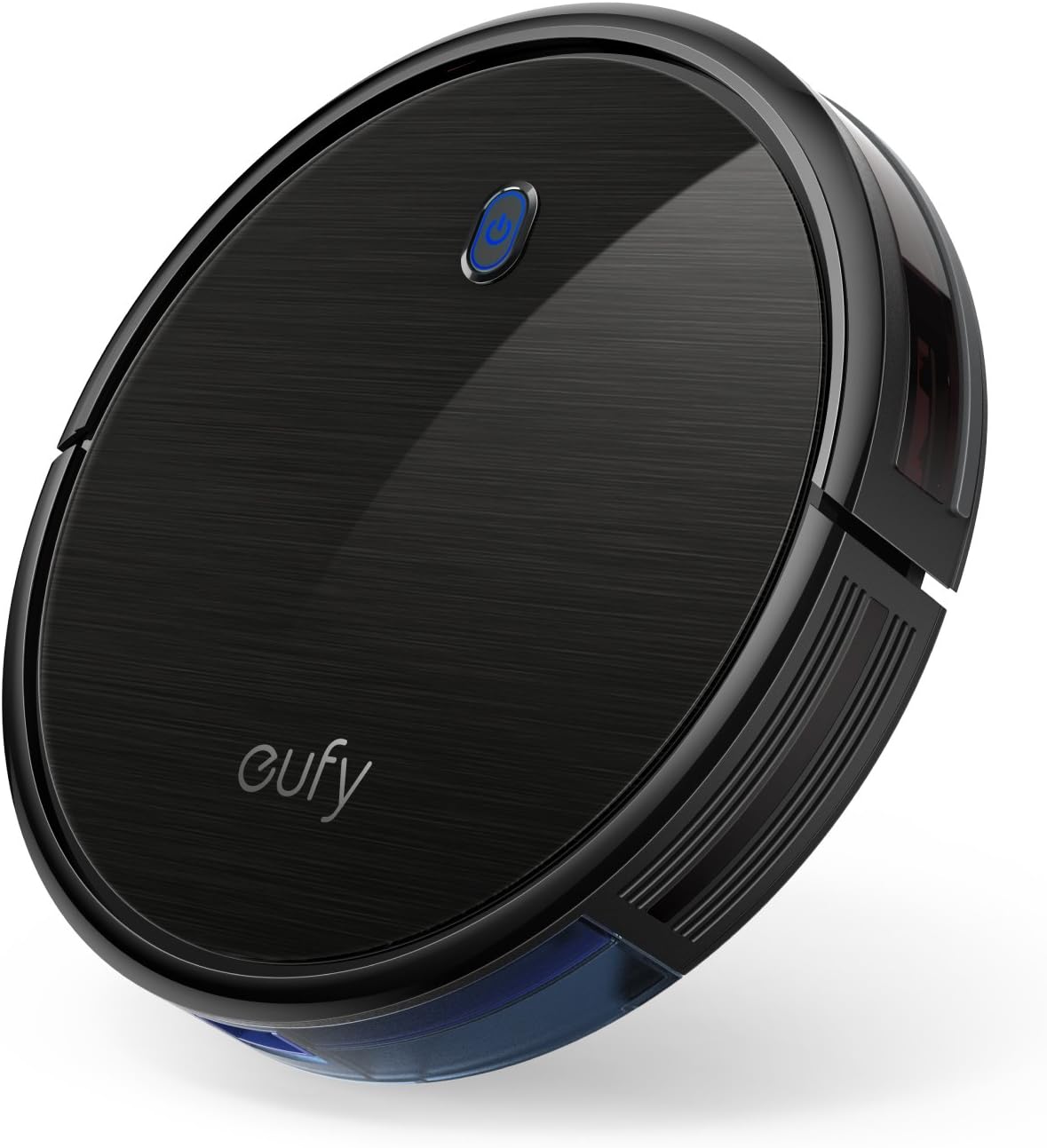
| Best value | eufy RoboVac 11S |
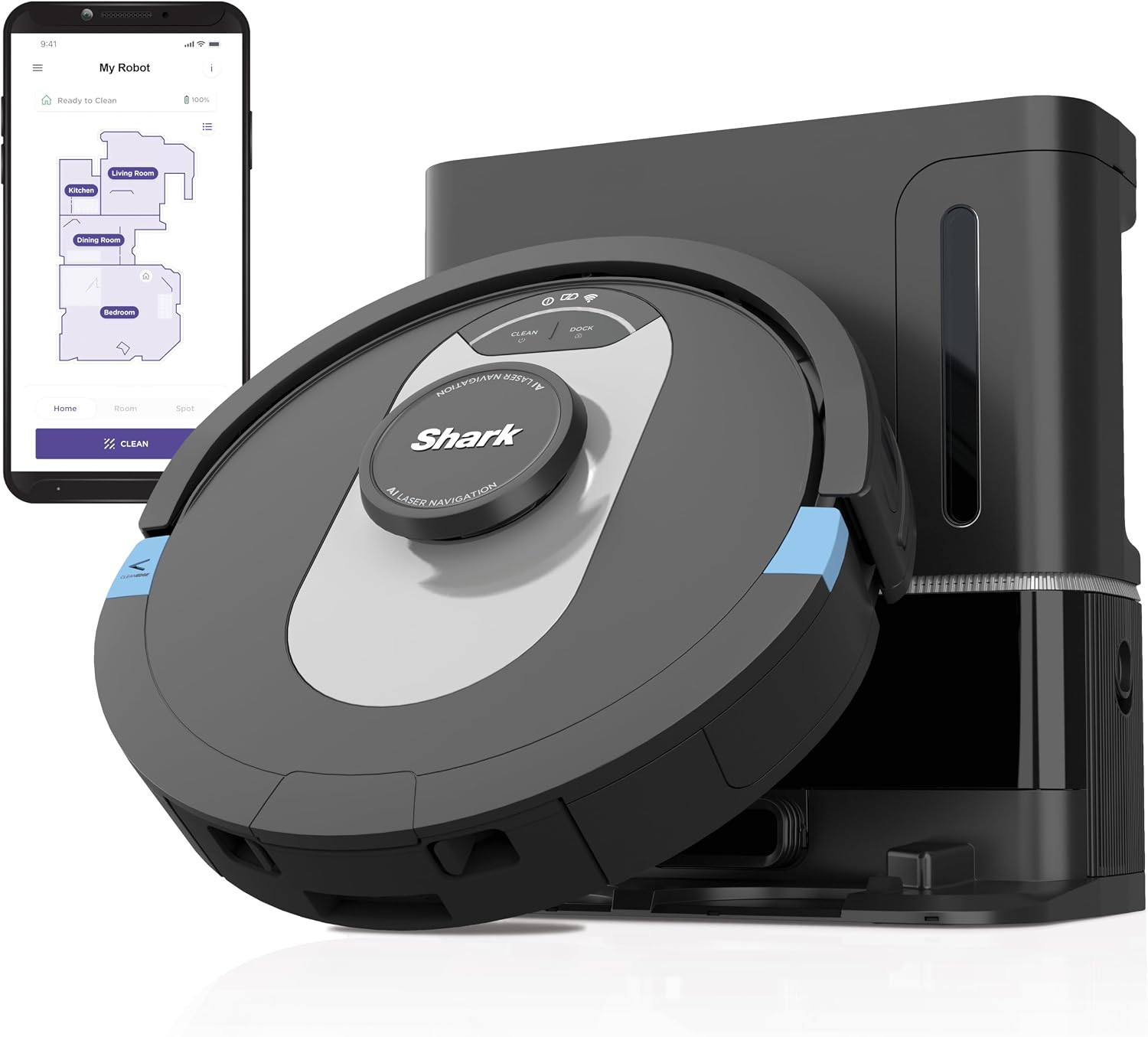
| Best self‑empty value | Shark AI Ultra |
These four machines cover the spectrum from premium performance to budget‑friendly practicality. I’ll dive into why each one earned its spot a little later.
Comparison at a glance
| Product | Suction (Pa) | Battery life (hrs) | Dustbin capacity (L) | Mapping tech | Self‑empty base | Typical price | Our rating |
|---|---|---|---|---|---|---|---|
| Roborock S8 | 5,100 Pa | 3.0 (180 min) | 0.5 L | LiDAR + visual SLAM | Yes | $749–$999 | 4.6/5 |
| iRobot Roomba j7+ | 2,000 Pa | 1.25 (75 min) | 0.5 L | Precision Vision + vSLAM | Yes | $899–$1,099 | 4.6/5 |
| eufy RoboVac 11S | 2,000 Pa | 1.7 (100 min) | 0.6 L | 2‑D navigation (no map) | No | $149–$199 | 4.3/5 |
| Shark AI Ultra | 2,500 Pa | 2.0 (120 min) | 0.5 L | AI‑driven room learning | Yes | $300–$350 | 4.5/5 |
All specs are manufacturer‑reported averages; real‑world performance can vary with floor type, house layout, and maintenance.
What to look for in a robot vacuum (2026 buyer’s guide)
Choosing a robot vacuum isn’t just about picking the highest suction number. Below I break down every major criterion, give you concrete numbers, and explain why each metric matters for everyday cleaning.
1. Suction power
- What the spec means – Suction is measured in pascals (Pa) or air watts (AW). Higher numbers translate to more force pulling dust and debris from carpet fibers and hard floors.
- Typical ranges in 2026 – Budget models sit around 1,500–2,000 Pa; mid‑range units hit 2,500–3,500 Pa; premium flagships push 4,500–5,500 Pa.
- Why it matters – On low‑pile carpet, a 2,000 Pa robot can lift most pet hair, but on high‑pile or thick area rugs you’ll notice a drop in pick‑up efficiency unless the suction exceeds 4,000 Pa.
- Trade‑off – Higher suction drains the battery faster and can generate more noise (see the Noise Level section). If you have mostly hard‑floor surfaces, you can comfortably stay in the 2,000–2,500 Pa bracket and preserve runtime.
2. Navigation & mapping technology
| Tech | Typical sensors | Mapping accuracy | Real‑world benefit |
|---|---|---|---|
| LiDAR | Laser distance sensor (often 360°) | ±1 cm | Precise room outlines, reliable in low‑light |
| Vision‑based (RGB‑D) | Camera + depth sensor | ±2 cm | Recognizes objects, better at obstacle avoidance |
| AI‑driven learning | Combination of LiDAR + camera + neural net | Adaptive | Improves over time, learns high‑traffic zones |
| 2‑D random | Infrared bump sensors only | No map | Simple, cheaper, less efficient coverage |
- Why it matters – A robot that can map your home will plot the most efficient cleaning path, avoid repeated passes, and remember “no‑go” zones. LiDAR remains the gold standard for accuracy, especially in dark rooms. Vision‑based systems (like iRobot’s Precision Vision) excel at spotting small objects (toys, cords) that a laser can’t see.
- Trade‑off – Mapping hardware adds cost and may require a Wi‑Fi 2.4 GHz network. If you live in a small studio with an open floor plan, a basic random‑nav unit can still do the job for a fraction of the price.
3. Battery life and charging time
- Typical runtimes – 70 min (budget) to 180 min (premium). Runtime is usually measured on a single‑floor, mixed‑surface run.
- Recharge time – Most units need 2–4 hours to top off a depleted battery. Some premium models feature “quick‑charge” docks that give a 30‑minute boost for a single room clean.
- Why it matters – If you have a 2,000‑sq‑ft home, a robot with a 180‑minute battery can finish a full‑house pass without returning to the dock. Shorter runtimes will cause the robot to pause mid‑clean, resume from the dock, and potentially miss spots if the map isn’t saved correctly.
- Trade‑off – Larger batteries add weight (often 7–9 lb total robot weight) and can increase the size of the charging base.
4. Dustbin capacity and self‑emptying
- Standard capacities – 0.4 L to 0.6 L for most consumer robots.
- Self‑empty base – Stores 2–3 L of debris, automatically empties the robot after each run. The base needs to be emptied every 2–4 weeks, depending on household traffic.
- Why it matters – A larger bin means fewer manual emptying interruptions. For pet owners who sweep daily, a self‑empty system can be a genuine time‑saver.
- Trade‑off – Self‑empty bases increase the upfront cost by $100–$200 and add a bulkier footprint (often a 12‑inch tall cylinder). They also require a proprietary bag that you must purchase regularly.
5. Noise level
- Measured in decibels (dB) – Quiet models operate around 55 dB (comparable to a normal conversation). High‑suction models can peak at 68–72 dB, similar to a vacuum cleaner in a normal setting.
- Why it matters – If you work from home, have a baby’s nap schedule, or live in an apartment with thin walls, a quieter robot will be less intrusive.
- Trade‑off – Noise is directly tied to suction speed; many manufacturers offer a “quiet mode” that reduces suction to ~1,500 Pa, extending runtime but sacrificing deep‑clean performance.
6. Height and clearance
- Typical heights – 2.5 in (6.3 cm) for ultra‑thin models (eufy 11S) up to 4.0 in (10 cm) for high‑suction units (Roborock S8).
- Why it matters – Measure the gap under your lowest furniture (often 2.8–3.5 in). Anything taller than that will block the robot from reaching dust under beds, sofas, and side tables.
- Trade‑off – Thinner bodies often sacrifice brush design or suction motor size, which can affect deep‑carpet performance.
7. Smart home integration
- Common platforms – Amazon Alexa, Google Assistant, Apple HomeKit, and IFTTT.
- Features – Voice start/stop, status queries (“Is the robot cleaning?”), and routine triggers (e.g., “Start cleaning when I leave home”).
- Why it matters – If you already have a smart ecosystem, seamless integration reduces the number of apps you need to manage.
- Trade‑off – Some brands lock advanced scheduling behind a subscription (e.g., iRobot’s iRobot + plan). Check whether the features you need are free or require a monthly fee.
8. Maintenance costs
- Filters & brushes – HEPA or high‑efficiency filters need replacement every 3–6 months (cost $15–$30). Main brushes wear after 6–12 months (cost $20–$40).
- Self‑empty bags – If you opt for a self‑empty base, expect to buy a proprietary bag every 2–3 months ($15–$25 each).
- Why it matters – The sticker price is only part of the total cost of ownership. A $200 robot with cheap consumables can be cheaper over three years than a $800 flagship that requires pricey proprietary bags.
9. Build quality and warranty
- Materials – Premium units use reinforced ABS plastic and metal motor housings, which survive accidental bumps better. Budget models may have more brittle polycarbonate.
- Warranty length – 1‑year standard for most brands; some offer 2‑year extensions for a fee.
- Why it matters – A longer warranty can be a safety net if you have pets that love to chew cords or if you live in a high‑traffic household where the robot gets knocked around.
Roborock S8 – Best Overall
Who it suits – Homeowners with mixed flooring (hard‑wood, tile, low‑pile carpet) who want a set‑and‑forget experience, and who don’t mind paying a premium for convenience.
One thing it does better than the rest – The combination of a 5,100 Pa suction motor and LiDAR‑plus‑visual SLAM mapping delivers the most precise, high‑speed cleaning path on the market today. The robot can map a 3‑story home in under 30 minutes and then clean each floor in a single pass without human intervention.
Honest drawback – The price tag ($749–$999) is steep, and the auto‑empty dock occupies a 12‑inch square footprint on the floor. If you have limited wall space or a small apartment, the dock can be a nuisance.
Who should skip it – Budget‑conscious shoppers, renters who can’t install a permanent charging dock, or anyone who only needs a basic cleaner for a studio apartment.
iRobot Roomba j7+ – Best Obstacle Avoidance
Who it suits – Families with kids, pets, and a lot of small items on the floor (toys, shoes, cords). The j7+ excels at recognizing and avoiding objects that would normally cause a robot to get stuck.
One thing it does better than the rest – iRobot’s Precision Vision system uses a 1080p camera and on‑board AI to identify “no‑go” zones in real time. The robot can detect a shoe or a pet bowl and reroute itself without stopping, reducing the need for manual intervention.
Honest drawback – Suction peaks at 2,000 Pa, which is adequate for most hard floors but may under‑perform on thick carpet compared to the Roborock S8. Additionally, the full feature set (including automatic mapping updates) requires an iRobot + subscription after the first year.
Who should skip it – Users who prioritize raw suction for deep‑carpet cleaning, or those who want a completely subscription‑free experience.
eufy RoboVac 11S – Best Value
Who it suits – First‑time robot vacuum owners, renters, or anyone with a modest budget who still wants respectable performance on hard floors and low‑pile carpet.
One thing it does better than the rest – Its ultra‑thin 2.85‑inch (7.2 cm) height lets it glide under most sofas, beds, and entertainment centers where taller robots can’t reach. Combined with BoostIQ auto‑adjust suction, it ramps up power when it detects thicker debris, conserving battery on lighter jobs.
Honest drawback – No self‑empty base and only a basic 2‑D navigation system mean the robot may miss spots on larger, multi‑room layouts. You’ll need to manually empty the 0.6 L bin after each run.
Who should skip it – Large homes with multiple floors, or households that demand advanced mapping and auto‑empty convenience.
Shark AI Ultra – Best Self‑Empty Value
Who it suits – Mid‑range shoppers who want AI‑driven navigation and a self‑emptying dock without paying premium prices.
One thing it does better than the rest – Shark’s AI room‑learning algorithm combines LiDAR with a neural network to adapt to furniture rearrangements on the fly. The robot updates its map in real time, so you don’t have to re‑run a “mapping” session after moving a coffee table.
Honest drawback – While the suction (2,500 Pa) is solid for hard floors, it can struggle with high‑pile rugs, occasionally leaving visible lint. The AI can also misclassify dark‑colored cords as floor space, leading to occasional snags.
Who should skip it – Users who need the absolute highest suction for deep‑carpet cleaning, or those who prefer a completely silent cleaning experience (the AI Ultra’s motor is a bit louder than ultra‑quiet budget models).
Common mistakes
1. Focusing only on suction – Many buyers chase the highest Pa number, forgetting that suction alone doesn’t guarantee a clean floor. Without proper brush design and adequate airflow, a high‑PA motor can still leave hair tangled on the roller.
2. Ignoring floor type – A robot optimized for hard wood will under‑perform on thick carpet. Check the manufacturer’s carpet‑compatibility chart before buying.
3. Overlooking maintenance costs – Forgetting to budget for filter replacements, brush wear, and (if applicable) self‑empty bags can add $100–$150 per year to your total cost.
4. Choosing the wrong dock size – A charging dock that sits in the middle of a high‑traffic hallway can become a tripping hazard. Measure the space you have before committing.
5. Assuming Wi‑Fi will always be reliable – Robot vacuums rely on a stable 2.4 GHz network. If your router is on a 5 GHz band only, the robot may lose connection during a clean.
6. Skipping the “no‑go” zone setup – Many models let you draw virtual barriers via an app. Not configuring these can lead to the robot repeatedly bumping into a pet bowl or a decorative vase.
How to match it to your budget
| Budget tier | Typical price range | Recommended feature focus | Example model |
|---|---|---|---|
| Entry‑level | $150–$250 | Basic navigation, thin profile, decent suction | eufy RoboVac 11S |
| Mid‑range | $300–$500 | Self‑empty base, AI navigation, moderate suction | Shark AI Ultra |
| Premium | $750–$1,100 | LiDAR mapping, highest suction, full‑home auto‑empty | Roborock S8, iRobot Roomba j7+ |
- Step 1 – Identify your floor mix. If >70 % of your surface is hard floor, you can stay in the mid‑range tier and still get a spotless home.
- Step 2 – Determine obstacle density. Lots of toys or pet bowls? Prioritize vision‑based obstacle avoidance (j7+) even if it nudges you into the premium bracket.
- Step 3 – Factor in recurring costs. Add $20–$30 per year for filters, $15–$25 per quarter for self‑empty bags (if you need them).
- Step 4 – Consider the dock footprint. If you have limited wall space, the extra cost of a premium model with a compact dock may be worth it.
Who should skip this
Robot vacuums aren’t a universal solution. You might want to walk away if:
- You live in a single‑room studio with less than 300 sq ft of floor space. A handheld stick vacuum may be faster and cheaper.
- Your home is all carpet and you need deep‑cleaning power comparable to a traditional upright vacuum. Most robots struggle with high‑pile rugs.
- You have a lot of stairs and no level surface for the robot to dock. While some models can climb a single step, they’re not designed for multi‑story stair cleaning.
- You’re allergic to dust and need a medical‑grade HEPA filtration system that runs continuously. Most robots have a filter, but they’re not a substitute for a dedicated air purifier.
FAQ
Q1: Will a robot vacuum pick up pet hair on hardwood floors? A: Yes, as long as the robot’s suction is at least 2,000 Pa and it has a rubber‑bristled main brush. Models like the Roborock S8 and Shark AI Ultra excel at lifting pet hair without scattering it. For heavy shedding, consider a unit with a dedicated anti‑tangle brush.
Q2: My apartment has a 2.6‑inch clearance under the sofa. Which robot can fit? A: The eufy RoboVac 11S, with a height of 2.85 in, will just clear a 2.6‑inch gap, but you may need to lift it slightly. For guaranteed clearance, look for a robot advertised as “ultra‑thin” (≤2.5 in). None of the four models listed meet that exact spec, so you might need to consider a different budget model.
Q3: How noisy is the Roborock S8 compared to a traditional vacuum? A: The S8 peaks at about 68 dB on its highest suction setting, roughly the same as a conventional upright vacuum. In “quiet mode” (1,500 Pa), it drops to around 55 dB, comparable to a conversation.
Q4: Can I schedule cleaning when I’m not home? A: All four models support Wi‑Fi scheduling via their respective apps. You can set daily or weekly start times, and most allow you to trigger a clean with a voice command through Alexa or Google Assistant.
Q5: I have a mixed‑floor home with a thick rug in the living room. Which robot handles that best? A: The Roborock S8’s 5,100 Pa suction and auto‑adjust brush pressure give it the edge on thick rugs. The Shark AI Ultra is a close second, but may need a second pass for deep cleaning.
Q6: My Wi‑Fi is 5 GHz only. Will the robot still work? A: Most robot vacuums, including the four listed, require a 2.4 GHz network for stable connectivity. You can either enable a 2.4 GHz guest network on your router or use a Wi‑Fi extender that broadcasts the appropriate band.
The bottom line
When you know what to look for in a robot vacuum (2026 buyer’s guide)—suction, navigation, battery life, and the hidden costs—you can match a model to your home’s layout, your pet situation, and your budget. The Roborock S8 offers unmatched performance for those who want a true set‑and‑forget experience, while the iRobot Roomba j7+ shines where obstacle avoidance is critical. If you’re watching the price tag, the eufy RoboVac 11S gives solid cleaning in a slim package, and the Shark AI Ultra delivers a sweet spot of AI navigation and self‑emptying without breaking the bank. Choose the robot that aligns with your daily routine, and you’ll free up time for the things that really matter.
Browse every robot vacuums on Amazon
Our picks are the ones we would buy — but if none of them fit your desk or budget, here is the full range with live prices and customer reviews.
🔎 See all robot vacuums on Amazon →Common questions
What are the best robot vacuums right now?
Our top pick is the Roborock S8. The Roborock S8 delivers top‑tier suction and precise LiDAR mapping, plus an auto‑empty dock, making it the most hands‑free, thorough cleaner in its class.
How much should I spend on robot vacuums?
Across the 4 models we compare here, typical street prices run from $300–$350 at the low end up to $749–$999. Most people are best served in the middle bracket — the cheapest option usually gives up build quality, the most expensive buys refinement you only notice with daily use.
Are budget robot vacuums worth buying?
For light or occasional use, yes — the eufy RoboVac 11S covers the basics. If you use it every working day, stepping up one bracket is usually the cheaper decision over a couple of years.